Industrial Solutions
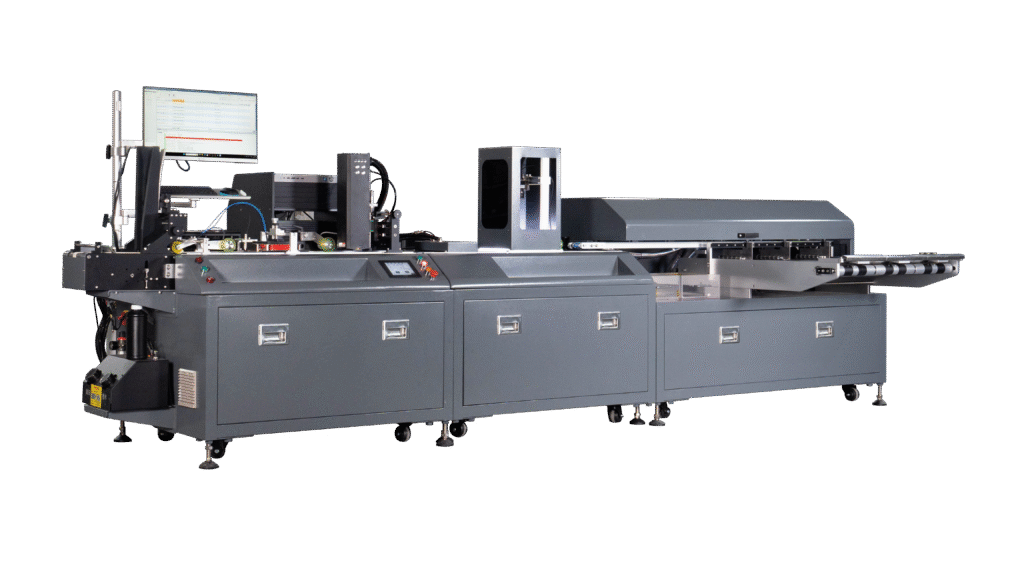
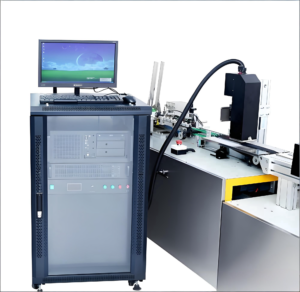
Cards / Tags Friction Feeding-Printing-Inspection System
summarization
Cards / Tags Industrial Inkjet Solution
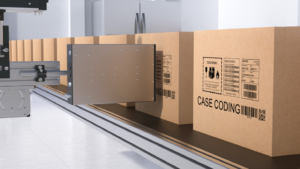
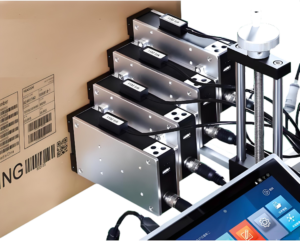
With the advancement of society, anti-counterfeiting technologies have rapidly evolved, placing higher demands on the printing and packaging industries. This is particularly true for sectors liketickets), pharmaceutical packaging, and label printing, where sophisticated printing techniques are essential. Examples include anti-counterfeiting labels for electronics, liquor packaging boxes, pharmaceutical packaging, and invoices. Digital anti-counterfeiting involves systematic database management, assigning a unique identity to each ticket, card, product label, or packaging box during the printing process. The Single UV Inkjet Coding, Verification, and Rejection System is a solution for variable information printing in industries such as pharmaceutical packaging, invoice printing, and label printing. This system enables the printing of variable barcodes, numbers, character strings, and images, along with integrated visual inspection capabilities.

Key Technical References:
- UV Inkjet Technology: Modern UV inkjet printers excel in high-precision printing on diverse surfaces (e.g., porous/non-porous materials) and support variable data like QR codes, Data Matrix, and unique identifiers. Their fast-drying, eco-friendly inks and integrated rejection systems ensure reliability in industrial applications.
- Vision Inspection: Advanced systems combine printing with real-time quality checks to eliminate defective products, critical for industries requiring traceability (e.g., pharmaceuticals).
- Cost Efficiency: Solutions like RN Mark’s printers emphasize low cost-per-print and minimal maintenance, aligning with the need for scalable, affordable anti-counterfeiting workflows.
Solution Details
Technical Specifications
Equipment Parameters:
- Dimensions: 3600mm × 1620mm × 1500mm (L × W × H)
- Weight: Approx. 800 kg
- Power Supply: AC 220V / 3 kW
- Basic Functions:
Feeding → UV Coding → Vision Inspection (Optional) → Collection - Conveyor Belt: Vacuum (negative pressure) type
- Air Pressure: 0.5 MPa
- Compatible Material: Flat single-sheet paper/card
- Sheet Specifications:
- Thickness: 0.15–3 mm
- Max. Width: 150 mm
- Max. Operating Speed: 0–80 m/min
Inkjet Coding Machine Parameters:
- Printhead: Ricoh G5
- Max. Printing Width: 54 mm
- Resolution: 600 dpi
- Ink Supply System: Centralized ink delivery system
- Interfaces:
Serial port, Ethernet port, electric eye, encoder interface, printhead interface - Sensors: Supports external sensors (NPN-type, contact-type)
- Operating System: Windows 10
Printing Capabilities:
- Dynamic Content: Text, counters, dates, dynamic barcodes
- Static Content: Text, images (dynamic adaptation supported)
- Barcode Types:
- 1D Barcodes: EAN28, Code25, Code39, Code93, Code128, GS1 DataBar, etc.
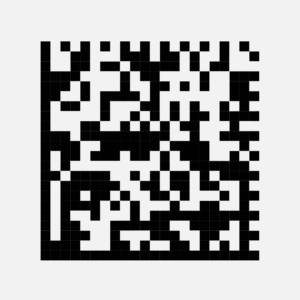
- 2D Barcodes: PDF417, DataMatrix, MaxiCode, QR Code, etc.
Construction
Main Equipments Of Our Industrial Solutions
Instruction
How To User Our Machine
Equipment Safety Operation Guidelines
Pre-Startup Preparation
- Remove all foreign objects from the machine, especially near moving parts. Tools, rags, or other items must not be placed nearby.
Operator Qualification
- Only personnel who have undergone safety training (including equipment-specific protocols) are permitted to operate the machine.
Multi-Person Coordination
- When multiple operators are involved, designate one person to control startup. This operator must ensure no personnel are near moving parts before powering on and alert others before activation.
Emergency Response
- Immediately press the emergency stop switch if abnormalities occur during operation, and notify all personnel.
Safety During Operation
- Avoid physical contact with moving parts unless absolutely necessary and with proper protective measures in place.
Third-Party Intervention
- Non-operators must notify the designated operator before adjusting, debugging, or inspecting the machine.
Power Reactivation
- Before restoring power, confirm the environment (personnel, equipment, and moving parts) is safe.
Maintenance Protocols
- Press the emergency stop switch before disassembling, cleaning, or performing non-routine operations. Never conduct unauthorized actions while the machine is running.
Long-Term Maintenance
- Turn off the main power and display a “No Startup” warning sign in visible areas during extended maintenance.
Modification Restrictions
- Do not remove or alter machine components (especially safety guards) without authorization. Preserve all safety labels.
Post-Maintenance Checks
- After repairs, manually rotate moving parts or use jog mode to check for obstructions before full restart.
Work Area Security
- Power off and lock the machine when leaving the workspace. Untrained personnel are strictly prohibited from operating the equipment.
you may want to know