
The price question seems simple enough. How much does a color laser printer cost? But anyone who’s actually shopped for one knows the answer is frustratingly complex. Prices range from surprisingly affordable to shockingly expensive—and the differences aren’t always obvious from specifications alone.
Entry-level models start around $200. High-end workgroup machines easily exceed $3,000. And somewhere in that vast middle ground sits the right printer for most buyers. Finding it requires understanding what drives costs and which features actually matter for specific needs.
The Basic Price Landscape
Let’s establish some general ranges. These aren’t absolute—sales, promotions, and regional variations exist—but they represent typical market positioning.
| Printer Category | Price Range | Typical Users |
|---|---|---|
| Entry-level personal | $200-$350 | Home offices, light use |
| Small office | $350-$600 | Small teams, moderate volume |
| Workgroup | $600-$1,200 | Departments, heavier workloads |
| High-volume workgroup | $1,200-$2,500 | Large offices, consistent output |
| Light production | $2,500-$5,000+ | Print shops, high-demand environments |
A color laser printer at the lower end handles occasional color documents perfectly fine. Print quality is generally good—certainly acceptable for internal documents, presentations, and basic marketing materials. Speed limitations and paper capacity become issues only when demands increase.
Moving up the price ladder brings faster output, larger paper trays, more sophisticated finishing options, and better duty cycle ratings. Whether those improvements justify doubled or tripled prices depends entirely on actual usage patterns.
What Makes Prices Vary So Much
Understanding cost drivers helps buyers identify where spending more makes sense—and where it doesn’t.
Druckgeschwindigkeit
Speed ratings significantly affect pricing. A color laser printer rated at 20 pages per minute costs considerably less than one hitting 40 ppm. The technology required for faster output demands better components throughout the machine.
But here’s the thing. Speed specifications often overstate real-world importance. That 40 ppm rating assumes continuous printing of simple documents. Actual office use involves mixed jobs, frequent starts and stops, and varying complexity. The speed advantage narrows considerably in practice.
For genuinely high-volume environments, speed matters. For typical small office use? Less than manufacturers want buyers to believe.
Paper Handling
Tray capacity affects both convenience and cost. Entry-level models might include a single 250-sheet tray. Step up and you’ll find 500-sheet trays, multiple input sources, and expansion options.
Additional considerations include:
- Automatic duplex printing (standard on most now, thankfully)
- Envelope feeders and specialty media handling
- Output stacking and sorting capabilities
- Bypass trays for occasional odd-sized jobs
A color laser printer with sophisticated paper handling reduces operator intervention. For busy offices, this convenience has genuine value. For light-use scenarios, basic handling suffices perfectly well.
Network and Connectivity Features
Modern printers connect in various ways. Ethernet, WiFi, USB, mobile printing support—the list keeps growing. More connectivity options generally mean higher prices.
Enterprise-focused machines add features like:
- Secure print release requiring authentication
- Integration with document management systems
- Advanced administrator controls
- Fleet management compatibility
- Cloud printing services support
Home offices rarely need such sophistication. Businesses handling sensitive documents might consider security features essential. Price differences for connectivity vary from negligible to substantial depending on feature depth.
The Hidden Cost Problem
Purchase price tells only part of the story. Toner costs, maintenance requirements, and longevity significantly affect total ownership cost. A cheaper color laser printer with expensive consumables often costs more over time than a pricier machine with reasonable toner pricing.
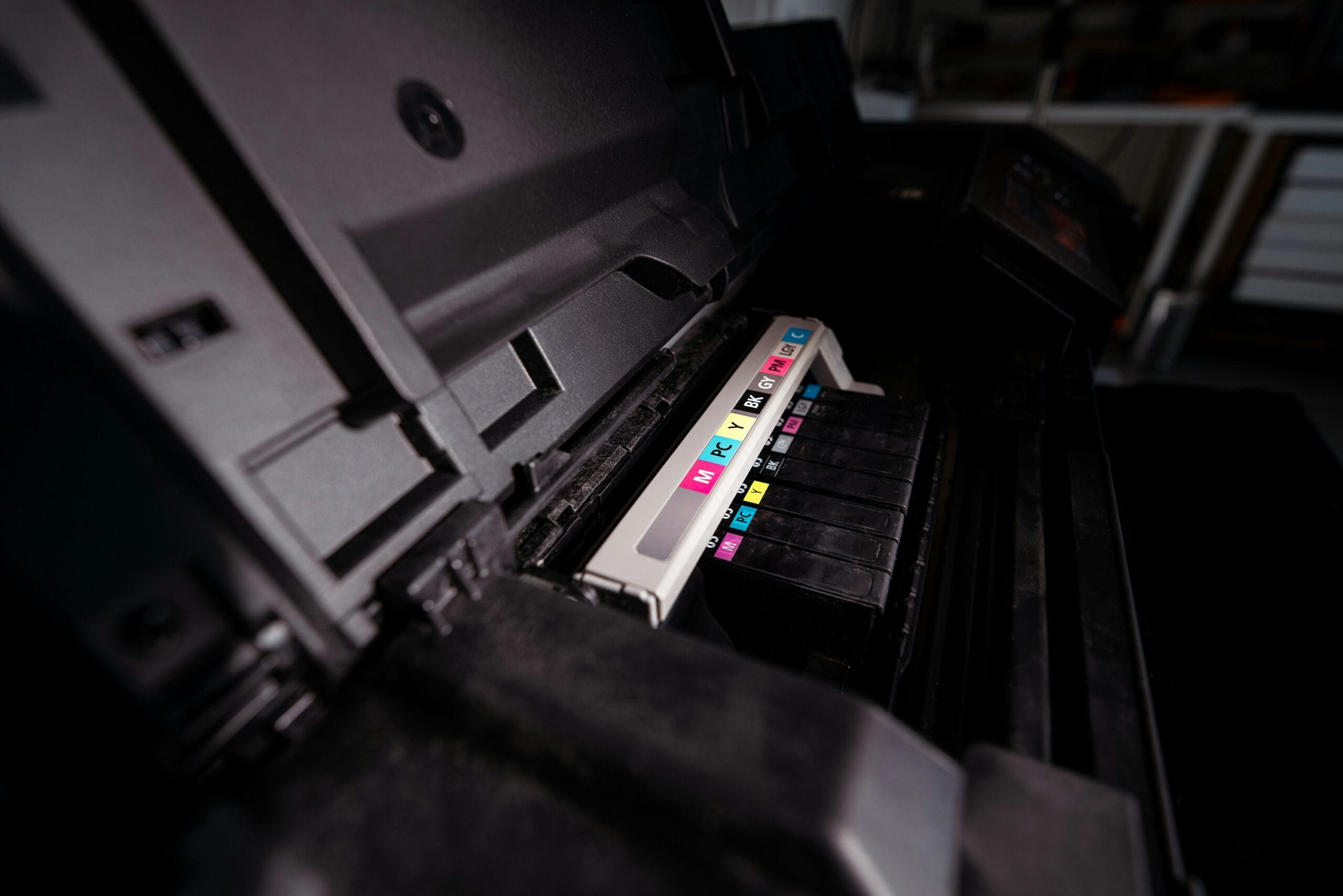
Color laser printers use four toner cartridges—cyan, magenta, yellow, and black. Each requires periodic replacement. Prices vary wildly between models and manufacturers.
Some cost factors to investigate:
- Standard vs. high-yield cartridge availability
- Cost per page estimates (published by manufacturers, verify independently)
- Drum and maintenance kit replacement intervals
- Third-party toner compatibility and quality
- Warranty implications of non-OEM supplies
The toner trap catches many buyers. Attractive printer prices subsidized by expensive consumables represent a classic business model. Calculating projected costs over expected printer life reveals true expenses more accurately than purchase price alone.
Brand Differences and What They Mean
Major brands—HP, Brother, Canon, Lexmark, Xerox—all produce quality color laser printer options at various price points. Brand premium varies, and reputation doesn’t always align perfectly with current product quality.
Some observations from market watching:
Brother tends toward competitive pricing with solid reliability. Their machines often represent good value in small office categories. Nothing flashy, but dependable.
HP commands premium prices partly on brand strength. Quality justifies some premium, though not necessarily the full difference. Their supplies ecosystem is extensive but not always cheapest.
Canon brings imaging expertise from their camera business. Color accuracy tends strong. Pricing sits somewhere in the middle for most categories.
Xerox historically focused on larger machines but has expanded downmarket. Their workgroup and enterprise offerings remain particularly strong.
Choosing between brands matters less than selecting the right machine within a brand’s lineup. A well-chosen Brother often outperforms a poorly matched HP for specific needs—and vice versa.

Considering Alternative Printing Technologies
While color laser printers serve document-heavy offices well, they’re not the only option worth considering. Different printing needs call for different technologies entirely.
For businesses requiring printing on diverse materials—rigid substrates, promotional items, packaging, or specialty products—a UV Digital Inkjet Printer offers capabilities that laser technology simply cannot match. These machines print directly onto surfaces that would never feed through a traditional color laser printer.
The comparison isn’t really apples to apples:
| Merkmal | Color Laser Printer | UV Digital Inkjet Printer |
|---|---|---|
| Best for | Paper documents | Diverse rigid/flexible materials |
| Typical use | Office printing | Product decoration, signage |
| Material range | Paper, cardstock | Wood, glass, metal, plastic, more |
| Price range | $200-$5,000 | Higher investment, specialized |
Understanding which technology fits specific applications prevents expensive mismatches. An office printing reports needs laser. A business printing custom products needs something else entirely.
Industrial Printing: A Different Category Entirely
Some buyers researching color laser printer options actually need something far more specialized. Manufacturing and packaging operations, for instance, require printing solutions that office equipment simply cannot provide.
Production environments dealing with labels, packaging, or product marking often benefit from dedicated systems like a Etiketten-Tintenstrahl-Codieranlage. These industrial solutions handle high-speed continuous printing that would overwhelm any office printer—laser or otherwise.
The distinction matters because:
• Production printing operates at vastly different scales
• Substrate requirements extend well beyond paper
• Integration with manufacturing lines becomes essential
• Durability standards exceed typical document needs
• Variable data printing (batch codes, dates, serial numbers) requires specialized capability
Confusing office printing needs with industrial requirements leads to frustration either way. A color laser printer won’t survive a production floor. Industrial equipment makes no sense for printing quarterly reports.
Where to Buy and How to Save
Pricing varies significantly across retail channels. Office supply stores, electronics retailers, online marketplaces, and manufacturer direct sales all price differently. Comparison shopping genuinely pays off.
Strategies that often yield savings:
- Watch for seasonal sales (back-to-school, Black Friday, end of fiscal year)
- Consider previous-generation models when new versions release
- Look at refurbished options from manufacturer-certified programs
- Bundle purchases with toner supplies for package discounts
- Check business account pricing if buying for commercial use
Refurbished machines deserve special mention. A factory-reconditioned color laser printer from a manufacturer’s official program often carries warranty protection and significant discounts. These aren’t damaged returns—they’re properly refurbished units at reduced prices.
Entry-Level Options Worth Considering
For those with modest needs and budgets, several current models offer genuine value. The sub-$400 category has improved considerably in recent years.
Good entry-level machines typically deliver:
- Acceptable print speeds (15-25 ppm)
- Adequate paper capacity (250+ sheets)
- Wireless connectivity
- Automatic duplexing
- Reasonable toner costs
Print quality at this tier handles business documents, presentations, and basic marketing materials competently. Photo printing remains better suited to inkjet technology, but color graphics and charts look perfectly professional from budget laser machines.
When Spending More Makes Sense
Higher volume demands justify higher prices. A color laser printer rated for 50,000 pages monthly simply differs from one rated for 5,000. Internal components, build quality, and engineering all scale accordingly.
Signs that upgrading budget makes sense:
• Current printer frequently runs low on paper
• Print jobs regularly queue and wait
• Multiple users experience access conflicts
• Monthly volumes consistently exceed machine ratings
• Downtime for maintenance causes real problems
Spending $800 instead of $400 might seem excessive until calculating productivity losses from inadequate equipment. The right tool for actual needs usually proves economical despite higher purchase price.

Final Thoughts
So how much is a color laser printer? Anywhere from $200 to several thousand dollars. The useful answer requires understanding specific needs, usage patterns, and total cost considerations.
Most small offices find suitable options in the $350-$700 range. Home offices can often get by with entry-level machines under $350. Larger operations should budget $1,000 or more for appropriate capacity.
Whatever the budget, investigating toner costs, reading user reviews, and honestly assessing needs prevents expensive mistakes. The right printer at the right price exists—finding it just takes some homework.