

Custom printed golf balls have become a staple at corporate events, charity tournaments, and pro shops everywhere. A logo on a golf ball transforms an ordinary piece of equipment into a branding tool, a personalized gift, or a memorable keepsake. The question people often ask is whether a golf ball printer can actually handle logo printing—and if so, how well.
The short answer is yes. Modern golf ball printers are specifically designed to print logos, text, and even full-color images directly onto golf ball surfaces. But the details matter. Print quality varies between machines. Setup can be tricky for newcomers. And the type of logo being printed affects the outcome more than most people realize. There is a lot happening beneath the surface of what seems like a simple printing job.

How a Golf Ball Printer Actually Works
Golf balls are not flat. They are dimpled, curved, and made from materials that do not absorb ink the way paper does. Traditional printing methods struggle with all three of those challenges. A golf ball printer solves them through a combination of specialized technology and clever engineering.
Most modern machines use UV-LED inkjet technology. The printer deposits tiny droplets of UV-curable ink onto the ball’s surface. Almost instantly, a UV lamp cures the ink, hardening it into a durable layer that bonds to the outer coating of the ball. This happens fast—fast enough that the ink does not run, smear, or pool in the dimples.
The basic process follows these steps:
- Golf balls are loaded into a holding fixture or carousel.
- The software sends the logo file to the printer.
- The print head moves across the ball, depositing ink with precision.
- UV lamps cure each pass of ink immediately.
- The finished balls are removed and ready for use.
Some golf ball printer models handle one ball at a time, while others can print multiple balls in a single cycle. Speed varies, but even entry-level machines can produce dozens of printed balls per hour once the workflow is dialed in.
What Kind of Logos Work Best on a Golf Ball Printer?
Not all logos translate equally well onto a golf ball. The printing surface is small—roughly the size of a large coin in terms of usable print area. Complex designs with fine details, thin lines, or intricate gradients often lose clarity when scaled down.
Logos that perform best typically share a few characteristics:
- Bold, simple shapes that remain recognizable at small sizes
- High contrast between colors (dark on light or light on dark)
- Minimal text, or text in a readable sans-serif font
- Limited color palette, usually three or four colors maximum
That does not mean a golf ball printer cannot reproduce detailed artwork. Many machines offer impressive resolution, sometimes exceeding 1200 dpi. But the physical constraints of the dimpled surface work against extreme detail. The dimples interrupt the print area, and ink coverage across them requires careful calibration.
Full-Color vs. Single-Color Logo Printing
There is a noticeable difference in complexity between single-color and full-color printers. A single-color corporate logo—say, a black emblem on a white ball—is straightforward. The printer lays down one ink pass, cures it, and done.
Full-color logos with gradients, photographs, or multi-layered graphics require more passes and tighter registration. The golf ball printer must align each color layer precisely to avoid blurring or color shift. Quality machines handle this well, but cheaper models sometimes show visible misalignment on complex prints.

Comparing Golf Ball Printer Options for Logo Work
The market offers a range of golf ball printer machines, from compact desktop units to industrial-grade systems capable of high-volume output. Choosing the right one depends on the intended use.
| Printer Type | Logo Print Quality | Geschwindigkeit | Best For |
| Desktop UV inkjet | Good to excellent | 20–50 balls/hour | Small businesses, pro shops, personalized gifts |
| Mid-range production | Ausgezeichnet | 100–200 balls/hour | Tournament organizers, promotional product companies |
| Industrial high-volume | Ausgezeichnet | 300+ balls/hour | Large-scale manufacturers, commercial fulfillment |
Durability of Logos Printed by a Golf Ball Printer
A logo that rubs off after a few swings defeats the entire purpose of customization. Durability is one of the key concerns for anyone investing in a golf ball printer or ordering printed balls from a service provider.
UV-cured inks generally hold up well. The curing process creates a hardened layer that resists scuffing, moisture, and UV exposure from sunlight. Under normal playing conditions, a logo printed on a quality machine should last for the usable life of the ball—or close to it.
Factors that affect logo durability include:
- Ink quality and formulation (some inks are softer than others)
- Proper curing during the print cycle
- Surface preparation of the ball before printing
- How aggressively the ball is used (cart path hits, tree strikes, etc.)
Most players find that logos show wear around the same time the ball itself starts showing significant scuffs and cuts. By then, the ball is usually due for replacement anyway. For display balls or keepsakes that will not be played, durability is essentially a non-issue.
Setting Up a Golf Ball Printer for Logo Printing
Getting consistent logo prints requires more than just loading balls and pressing start. Setup and calibration play a significant role in output quality, especially during the first few runs with a new design.
Vorbereitung der Datei
The logo file needs to be in a format the printer software accepts—usually PNG, JPEG, or vector formats like SVG or PDF. Vector files scale better and produce sharper edges, which matters on a small print surface. Resolution should be at least 300 dpi at the intended print size, and colors should be converted to the printer’s color profile for accurate reproduction.
Test Prints
Running a few test balls before committing to a full batch is standard practice. Test prints reveal issues like color mismatch, alignment errors, or dimple interference that are not obvious on a computer screen. Adjustments made after testing save ink, time, and frustration.
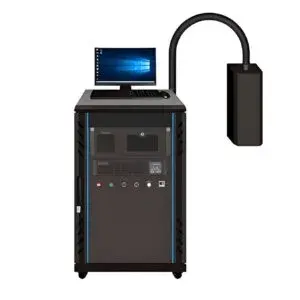
Ball Positioning
Consistent placement of each golf ball in the fixture ensures the logo lands in the same spot every time. Some golf ball printer models have automatic centering systems, while others require manual adjustment. Either way, attention to ball positioning prevents crooked or off-center logos that look unprofessional.
FAQ
Can a golf ball printer print on both sides of the ball?
Most machines print on one side at a time. To add a logo or design to the opposite side, the ball must be repositioned and run through a second print cycle. Some advanced systems automate this with dual-head configurations, but single-sided printing remains more common for logo applications.
How much does a golf ball printer cost?
Entry-level desktop models start around two to three thousand dollars, while mid-range production units range from five to fifteen thousand. Industrial systems designed for high-volume commercial use can exceed thirty thousand dollars depending on features and capacity. Ink and consumable costs add ongoing expense beyond the initial machine purchase.
Is it better to print logos in-house or outsource to a service?
It depends on volume and frequency. For occasional orders of a few dozen balls, outsourcing to a specialized service is often more economical. For regular logo printing—tournament giveaways, recurring corporate orders, retail customization—owning a golf ball printer pays for itself over time through lower per-unit costs and faster turnaround.