

Leather printing is tricky. Anyone who’s tried it knows this already. The material moves, absorbs ink unevenly, and responds to heat in ways that can ruin an expensive hide in seconds. So when someone asks whether Yotta flatbed printers can handle leather work, the question deserves a thoughtful answer rather than marketing fluff.
The short version? Yes, they can. But—and this matters—success depends heavily on understanding both the printer’s capabilities and leather’s particular quirks as a substrate.
Why Leather Is Different From Other Materials
Before getting into printer specifics, it helps to understand what makes leather such a challenging substrate. Unlike acrylic sheets or aluminum panels, leather is organic. It’s not uniform. Every hide has variations in texture, thickness, porosity, and surface finish. Even synthetic leathers behave differently from one manufacturer to another.
These inconsistencies create headaches for digital printing:
- Ink absorption varies across the surface
- Natural oils can interfere with adhesion
- Heat from curing systems may cause warping or damage
- Textured surfaces affect print sharpness
- Flexibility means the material can shift during printing
Yotta flatbed printers address some of these challenges better than others. The vacuum bed helps hold materials flat—crucial for leather that wants to curl at the edges. The adjustable print height accommodates varying thicknesses. And the UV LED curing systems generate less heat than older mercury lamp technologies, which matters a lot when you’re printing on heat-sensitive organic materials.
Print Quality on Leather: What to Expect
Let’s be honest about expectations. Printing on leather will never look quite like printing on coated aluminum or smooth acrylic. The substrate influences the outcome. That said, Yotta flatbed printers produce genuinely impressive results on leather when the conditions are right.
Color vibrancy is good. Not perfect—leather tends to absorb some pigment into its surface, which can slightly mute colors compared to non-porous materials. But the difference is subtle. Most clients won’t notice unless they’re comparing side by side.
Detail reproduction depends largely on the leather type:
| Leather Type | Druckqualität | Best Applications |
|---|---|---|
| Smooth finished leather | Excellent detail, sharp lines | Luxury goods, detailed logos, photographic prints |
| Semi-aniline leather | Good detail, slight softening | Handbags, wallets, premium accessories |
| Full-grain natural | Moderate detail, organic look | Rustic designs, artistic pieces, custom belts |
| Textured/embossed leather | Variable, design-dependent | Bold graphics, large text, abstract patterns |
| Synthetic leather (PU/PVC) | Excellent, consistent results | Mass production, promotional items, footwear |
Synthetic leathers actually print beautifully on Yotta flatbed printers. Their uniform surface and consistent composition make them more predictable than genuine hides. For high-volume production work, synthetics often make more sense from a quality consistency standpoint.
Ink Adhesion and Durability Concerns
This is where things get practical. A print that looks gorgeous but flakes off after a week isn’t worth much. Durability on leather involves several factors, and Yotta flatbed printers handle most of them reasonably well.
The UV-cured inks bond mechanically to the leather surface rather than just sitting on top. This creates better adhesion than solvent-based alternatives in many cases. The prints resist scratching, remain flexible with the leather (important for items that bend), and hold up against light abrasion.
However—and this is important—surface preparation matters enormously.
Pre-Treatment Considerations
Most leather benefits from some preparation before printing:
1. Clean the surface thoroughly to remove oils and residues
2. Apply primer or pre-treatment solutions for difficult leathers
3. Allow adequate drying time before loading into the printer
4. Test adhesion on sample pieces before committing to production runs
5. Consider light surface abrasion for very smooth finished leathers
Skipping these steps is tempting when you’re in a hurry. But adhesion failures almost always trace back to inadequate preparation. Yotta flatbed printers can only work with what they’re given—a properly prepared surface makes all the difference.
Handling and Workflow Practicalities
One advantage of Yotta flatbed printers for leather work is the relatively gentle handling process. The vacuum bed holds material flat without clamps or tape that might mark the surface. Loading and unloading happens without excessive manipulation.
For production workflows, some practical observations:
- Irregular hide shapes can waste printable area on rectangular beds
- Thickness variations within a single hide may affect print consistency
- Multiple smaller pieces often print more efficiently than single large hides
- Nesting software helps optimize material usage
- Temperature and humidity in the workspace affect leather behavior
The machines themselves don’t require special modifications for leather printing. It’s more about adapting your workflow and preparation processes to the substrate’s needs.
Comparing Leather Printing Methods
Yotta flatbed printers aren’t the only option for leather decoration. Understanding alternatives helps contextualize where UV flatbed printing fits.
Traditional methods like hot stamping, embossing, and screen printing still dominate certain segments. They offer specific advantages—hot stamping creates tactile impressions, embossing adds dimensional texture. But they require tooling, setup time, and minimum quantities that don’t suit everyone.
Digital alternatives include:
• Flatbed UV printing (like Yotta machines)
• Modified DTG printers adapted for leather
• Solvent-based flatbed systems
• Laser engraving for certain effects
Among these, Yotta flatbed printers occupy a solid middle ground. They handle both small custom orders and moderate production volumes. No tooling required. Full-color capability. Reasonable speed. The main limitation compared to traditional methods is the lack of tactile dimension—UV prints sit on the surface rather than pressing into it.
For applications where visual impact matters more than tactile texture, digital UV printing makes compelling sense.
Common Applications and Use Cases
What are people actually printing on leather with these machines? The applications span quite a range.
Popular uses for Yotta flatbed printers in leather work include:
• Custom wallets and cardholders with personalized designs
• Branded corporate gifts and promotional items
• Handbag and purse customization
• Belt printing (both decorative and identification purposes)
• Footwear components and shoe uppers
• Automotive interior panels and trim pieces
• Furniture accents and decorative elements
• Journal covers and luxury stationery
• Watch straps and accessories
• Pet collars and equestrian gear
The common thread across these applications is customization. Whether it’s a company logo on corporate gifts or individual names on wedding favors, the ability to produce one-offs profitably is where digital printing shines. Yotta flatbed printers make short runs economically viable in ways that traditional methods simply cannot match.
Limitations Worth Acknowledging
No printer is perfect for every application. Being realistic about limitations helps set appropriate expectations.
Yotta flatbed printers face some constraints with leather work:
- Very textured leathers may show uneven coverage
- Extremely flexible or thin leathers can be tricky to hold flat
- Production speeds are moderate, not fast by industrial standards
- White ink on dark leathers requires multiple passes for opacity
- Some specialty leathers need extensive testing before production
- Curved or pre-assembled leather goods generally cannot be printed
That last point matters for some businesses. Once leather is sewn into a finished product, flatbed printing becomes impossible. The work needs to happen on flat pieces before assembly. This affects production sequences and requires coordination between printing and manufacturing stages.
The Value of Full Color Capability
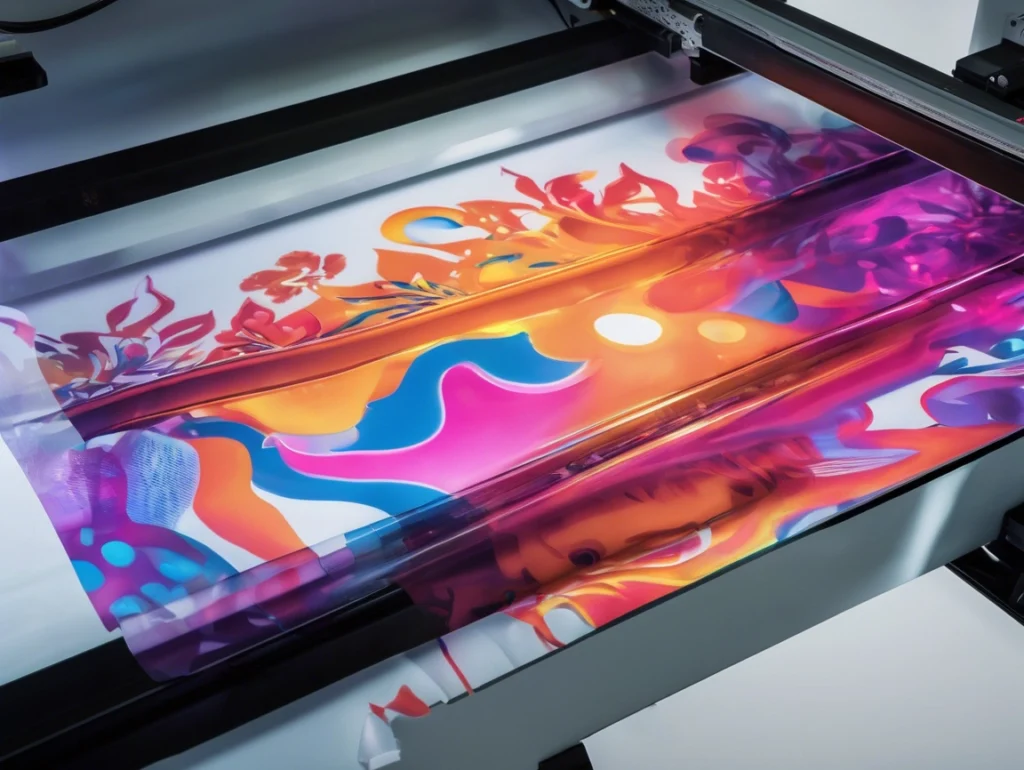
One significant advantage worth highlighting is the unlimited color potential. Traditional leather decoration methods—stamping, embossing, even screen printing—impose practical limits on color complexity. Multiple colors mean multiple passes, additional tooling, and compounding costs.
With Yotta flatbed printers, a design with two colors costs the same to produce as one with two hundred. Photographic imagery, complex gradients, intricate patterns—all printable in a single pass. This Vollfarbe Digital approach fundamentally changes what’s economically feasible for leather goods.
Small batch customization becomes practical. Personalized items with individual photos or designs no longer require premium pricing to cover setup costs. The economics shift in favor of creativity and customization rather than volume and standardization.
Why UV Technology Works Well for Leather
The curing technology matters more than people sometimes realize. UV printers use ultraviolet light to instantly cure inks, which offers several advantages specifically relevant to leather printing.
Key benefits of UV curing for leather applications:
1. Instant drying prevents ink from soaking too deeply into porous surfaces
2. Lower operating temperatures reduce risk of heat damage
3. No solvents mean no chemical interaction with leather finishes
4. Cured ink remains flexible rather than cracking when leather bends
5. Immediate handling is possible—no waiting for drying time
These characteristics align well with leather’s particular needs. The material doesn’t tolerate extended heat exposure or aggressive solvents. It needs inks that flex with its natural movement. UV printers deliver on these requirements in ways that alternative technologies often struggle to match.
Cost and Value Considerations
Equipment investment is one thing. Ongoing costs and actual value creation tell the fuller story.
Yotta flatbed printers sit in a mid-market position. Not the cheapest option available, but far from the most expensive either. For businesses specifically focused on leather goods, the question is whether the printer’s capabilities justify the investment.
Key factors to consider:
• Volume of leather work versus other substrates
• Customization requirements and order sizes
• Current outsourcing costs for leather printing
• Available space and infrastructure
• Technical capability of existing staff
For operations printing leather occasionally alongside other materials, the versatility of Yotta flatbed printers adds value. The same machine handles rigid signage, promotional products, and leather goods. For dedicated leather workshops, the calculation depends more heavily on production volume and margin structures.
Final Thoughts
Are Yotta flatbed printers good for leather? The evidence suggests yes—with appropriate caveats. They produce quality results on properly prepared leather surfaces. They handle both genuine and synthetic materials. They enable customization at volumes that make economic sense.
The technology isn’t magic. Leather remains a demanding substrate that requires understanding and respect. Surface preparation matters. Testing matters. Workflow adaptation matters.
But for businesses looking to add leather printing capability or upgrade from older technologies, Yotta flatbed printers represent a solid option. They bridge the gap between craft-level customization and industrial production, which is exactly where a lot of leather goods businesses operate.
The machines won’t turn anyone into a leather expert overnight. But they provide capable tools for those willing to learn the substrate’s quirks and work with them rather than against them.