

This is one of the first questions people ask when considering a phone case printer for their business or personal projects. Photos are emotional. They capture moments, faces, memories. Putting a photo on a phone case transforms an ordinary protective accessory into something personal and meaningful. But can these specialized printers actually handle photographic images well?
The short answer is yes—a phone case printer can absolutely print photos. In fact, photo printing onto phone cases is one of the most popular applications for this technology. Custom phone cases featuring family portraits, pet photos, vacation snapshots, and artistic photography represent a huge market segment. However, the quality of photo reproduction depends on several factors worth understanding before expecting perfect results every time.
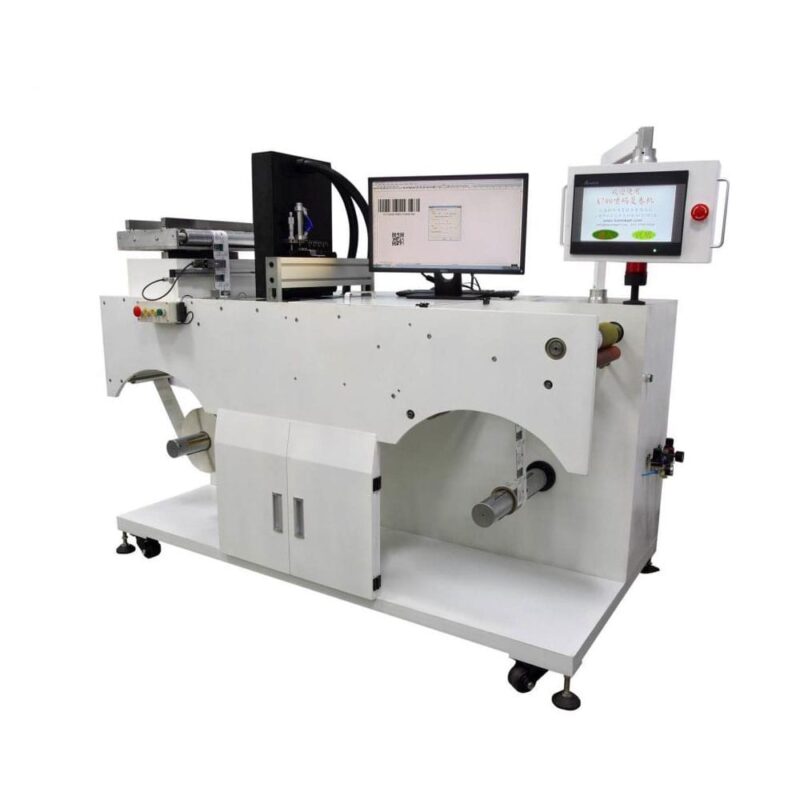
How a Phone Case Printer Handles Photo Printing
Most phone case printers use UV-LED inkjet technology. The printer deposits tiny droplets of UV-curable ink onto the case surface, then immediately cures it with ultraviolet light. This process works for graphics, text, logos, and yes—photographs.
Photo printing is fundamentally about reproducing continuous tones and gradients. Unlike solid graphics with flat colors, photographs contain subtle transitions between shades. Skin tones, sky gradients, shadow details—these require a printer capable of producing smooth tonal variation without visible banding or harsh color steps.
Key technical factors include:
- Print resolution (measured in DPI—dots per inch)
- Color gamut of the ink system
- Number of ink channels (CMYK versus expanded color sets)
- Droplet size variability
- Software color management capabilities
A phone case printer with 1440 DPI or higher resolution typically handles photographic detail quite well. Lower resolution machines may still print recognizable photos but with visible pixelation or less refined gradients.
The Role of White Ink in Photo Printing
Many phone cases are not white. Clear cases, black cases, colored cases—they all present challenges for photo printing because ink alone cannot achieve vibrant colors on dark or transparent backgrounds.
This is where white ink becomes essential. A phone case printer with white ink capability can lay down a white base layer first, then print the full-color photo on top. The white underbase creates opacity and allows colors to pop the way they would on white paper.
Without white ink, photos printed on anything other than white cases appear washed out, dull, or completely invisible. So for versatile photo printing across various case colors, white ink is really non-negotiable.
Image Quality Expectations From a Phone Case Printer
| Faktor | Impact on Photo Quality | Recommendation |
| Source image resolution | Low-res images look pixelated when enlarged | Use photos at least 300 DPI at print size |
| Printer resolution | Lower DPI means less detail reproduction | Choose 1440 DPI or higher for photos |
| Case surface texture | Textured cases disrupt fine detail | Smooth cases yield sharper prints |
| Color profiles | Poor calibration causes color shifts | Calibrate regularly; use ICC profiles |
| Ink type | Dye vs pigment vs UV affects color vibrancy | UV inks offer durability with good color |
| White ink density | Thin white layer reduces color brightness | Apply adequate white coverage for vivid results |
The source image matters enormously. A UV-Drucker cannot improve a blurry, low-resolution photo. Starting with a high-quality image—sharp, properly exposed, sufficiently large—sets the foundation for a good print on any device, including a UV printer. Garbage in, garbage out, as the saying goes.
Surface texture is often overlooked. Matte or textured cases can scatter light and soften printed details. For the crispest photo reproduction, smooth glossy or semi-gloss case surfaces generally work better with a UV-Drucker, as the ink cures precisely on the surface, maximizing detail and color vibrancy.

Preparing Photos for a Phone Case Printer
Photo preparation involves more than just sending a file to the printer. A few steps help ensure optimal results.
- Start with the highest resolution image available.
- Crop and resize to fit the case template precisely.
- Adjust brightness and contrast—prints often appear slightly darker than screens.
- Boost saturation modestly if vivid colors are desired.
- Convert to the correct color profile (usually CMYK for printing).
- Preview using the printer software to check positioning.
That middle step about brightness deserves attention. Photos viewed on backlit screens look different from ink on a physical surface. Increasing brightness by 10-15% during preparation often helps the final print match expectations more closely. It takes some experimentation—different printers and inks behave somewhat differently.
Common Photo Printing Issues and Solutions
Even with good equipment, problems occasionally occur.
Frequent issues include:
- Banding or visible lines in gradient areas (usually caused by clogged nozzles or low resolution settings)
- Color casts making photos look too warm, too cool, or tinted oddly (calibration or profile problems)
- Faded or washed-out appearance on dark cases (insufficient white ink coverage)
- Blurry or soft details (low source resolution or incorrect print height)
Most of these have straightforward fixes—nozzle cleaning, profile adjustments, increasing white ink density, or starting with better source files. Learning the quirks of a particular phone case printer takes time but pays off in consistent quality.
FAQ
Can a phone case printer print photos as clearly as a photo printer?
A dedicated photo printer using dye-sublimation or high-end inkjet technology on photo paper will typically produce finer detail and smoother gradients than a phone case printer on a plastic surface. That said, modern phone case printers achieve impressive results—more than sufficient for most commercial and personal applications. The difference is noticeable mainly when examining prints very closely or comparing side-by-side.
What file format works best for photo printing on phone cases?
PNG or TIFF formats preserve image quality without compression artifacts. JPEG files work too but should be saved at maximum quality settings to avoid visible compression. The key is maintaining resolution and avoiding repeated saves that degrade the image. Most phone case printer software accepts common formats without issue.
Can a phone case printer print photos on any case material?
Most case materials work—hard plastic, TPU, silicone, and polycarbonate all accept UV ink reasonably well. However, heavily textured surfaces, fabric-covered cases, or cases with unusual coatings may present adhesion or quality challenges. Testing on a sample case first is always wise before committing to large orders.