
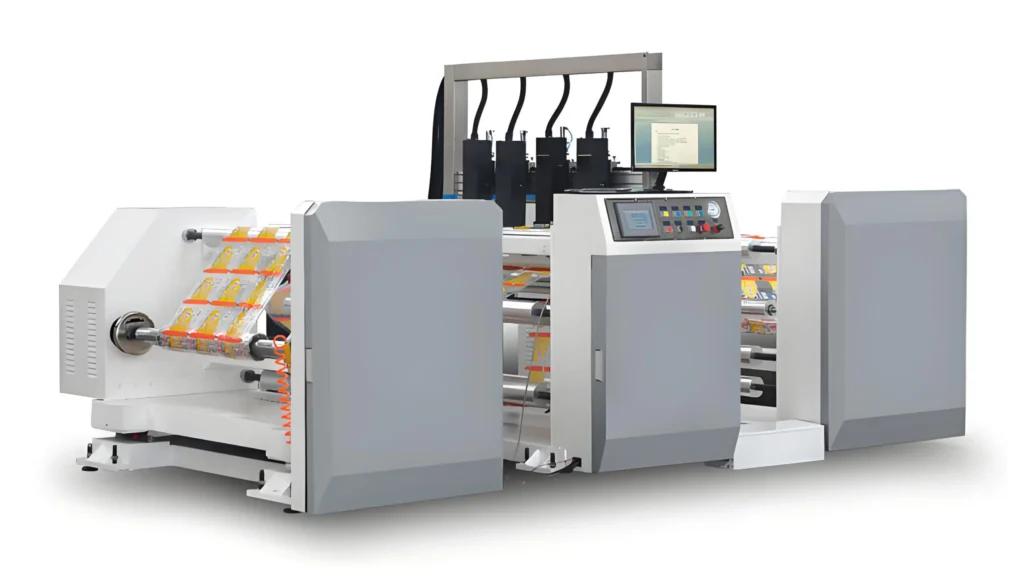
Laser printers are good for batch coding. They make clear and sharp prints. They work fast and do not break often. Many people use them for codes that last a long time. You do not need ink for these printers. Look at the main points below:
| Factor | Descripción |
|---|---|
| Print quality | Makes clear and strong marks for batch codes |
| Velocidad | Can keep up with fast production lines |
| Cost | Does not need ink or other supplies |
| Material compatibility | Works on paper, plastic, and metal |
| Invisible UV Ink | Can make hidden codes on many surfaces |
Laser Printers: Print Quality
Clarity
Laser printers make very sharp and clear prints. The batch codes look neat and are easy to read. Many businesses need codes that stay clear for a long time. Laser printers help because their marks do not fade or smear. People pick them when they want codes to last through shipping and storage.
Tip: Clear codes let workers scan things faster and make fewer mistakes.
Here is a quick look at how print quality compares with other printers:
| Printer Type | Print Quality Characteristics | Suitability for Batch Coding |
|---|---|---|
| Laser Printers | Makes sharp and professional text and images. Great for strong and lasting documents. | Very good for professional use. |
| Thermal Printers | Makes clear but only black-and-white prints. Best for labels and receipts. | Good for some jobs. |
| Inkjet Printers | Prints in color with high detail. Sometimes ink can clog. | Not as good for batch coding. |
Laser printers put crisp codes on paper, plastic, and metal. This is why many companies pick them for strong and clear batch codes.
Precision
Precision is important for small letters, numbers, or tricky designs. Laser printers use special technology to make tiny marks very well. They can do big jobs where every code must match. This helps companies track products and follow rules.
Laser technology makes marks that last a long time. These codes can handle heat or chemicals.
Fiber lasers have made printing faster and better. Laser printers now work quickly and still look great.
Many fields, like medicine and cars, use laser printers for safe codes. These codes help stop fake products and keep things safe.
Laser printers are also good for codes that need to be scanned. They make sure every mark is clear and hard to erase. This accuracy helps companies trust their batch codes.
Velocidad
High-Volume
Many factories and warehouses need to print thousands of codes every day. Laser printers handle these big jobs with ease. They use a laser beam to draw each code onto a drum, which then transfers the image to the material. This process moves fast and does not slow down, even when the job is huge.
Here is a quick look at how different printers perform when printing in large amounts:
| Printer Type | Velocidad | Cost per Page | Ideal Use Case |
|---|---|---|---|
| Laser Printers | Very fast | Baja | High-volume batch coding |
| Inkjet Printers | Slower | Más alto | General printing, less efficient |
| Thermal Printers | Fast for specific tasks | N/A | Receipts, not versatile for documents |
Laser printers stand out because they keep up with busy production lines. Workers do not have to stop and refill ink or wait for the machine to cool down. This means more products get coded in less time.
Producción rápida
Speed matters when products move quickly on a conveyor belt. Laser printers can print codes in just a second or two. They do not smudge or smear, so every code looks sharp right away. This helps companies meet tight deadlines and ship products faster.
Note: Fast printing also means fewer delays and less waiting for workers.
Laser printers help businesses stay on schedule. They make sure every item gets a clear code, even when the line moves fast. This makes them a top choice for batch coding in busy settings.
Cost
Investment
Buying a laser printer for batch coding can feel like a big step. The price at the start is higher than some other printers. Many companies see this as a smart move because the machine lasts a long time. Laser printers do not need ink or ribbons. This means there are no extra costs for supplies every month. Over time, the money saved on ink and ribbons adds up.
Companies often find that the upfront cost pays off after a few months of steady use.
A laser printer also helps keep the work moving. Workers do not have to stop to change ink or fix jams from sticky ribbons. This saves time and keeps the line running smoothly.
Operating Expenses
Laser printers stand out because they do not need consumables. No ink, no ribbons, and no messy cartridges. This makes them cost-effective for batch coding. The only regular costs are for electricity and the rare part replacement. Most of the time, these printers just keep working.
Here is a table that shows how laser printers help save money:
| Cost Saving Aspect | Descripción |
|---|---|
| Lower Operating Costs | Laser marking systems do not require consumables like ink or ribbons, reducing ongoing costs. |
| Minimal Recurring Expenses | The absence of consumables leads to fewer recurring expenses over time. |
| Reducción del tiempo de inactividad | Laser systems have lower maintenance needs, resulting in less downtime compared to traditional printers. |
Many companies notice that their bills drop after switching to laser printers. They do not have to order new supplies every month. The machines also break down less often, so there are fewer repair costs. This means more money stays in the business.
Tip: Less downtime means more products get coded and shipped on time.
In the long run, laser printers help companies save money and work faster. The savings on supplies and repairs make them a smart choice for batch coding.
Fiabilidad
Uptime
Laser printers keep batch coding lines moving. They rarely stop for long periods. Many factories trust them because they work for hours without trouble. Most laser printers need less maintenance than continuous inkjet printers. Workers do not have to clean nozzles or fix ink flow problems every week. Instead, they spend more time coding and less time fixing machines.
Tip: A reliable printer means fewer delays and more products out the door.
Some things can affect how well a laser printer runs. High humidity or lots of dust in the air can sometimes cause problems. For example:
Humidity may lower code quality or slow down the machine.
Dust can get inside and make the lens dirty.
Danmajet designs its printers to handle tough environments. Their machines keep working even when the air is damp or dusty.
Mantenimiento
Laser printers do not need much care, but a few tasks help them last longer. Here are some common maintenance jobs:
Clean the lens to keep codes sharp.
Check for overheating.
Watch for signs that the laser tube is getting old.
Update software if needed.
A simple routine helps prevent bigger problems. Workers can:
Check the scanning system for calibration.
Look at the lens for dirt or damage.
Make sure products move smoothly during marking.
Thermal inkjet printers need even less care, but laser printers still beat inkjets for uptime. With regular checks, a laser printer can run strong for years. This makes them a smart pick for busy batch coding lines.
Materiales
Supported Surfaces
Laser printers can print on many surfaces. They work on both smooth and rough materials. Some common surfaces include glass bottles, PET and HDPE plastics, foils and laminated pouches, metal tins and caps, and carton boxes and labels. Different laser printers are better for certain materials. Fiber lasers work well on metal parts. CO2 lasers are best for plastics. This helps companies in food, beverage, and electronics follow safety rules. Danmajet laser printers print clear codes on packaging in these industries. They are a reliable choice.
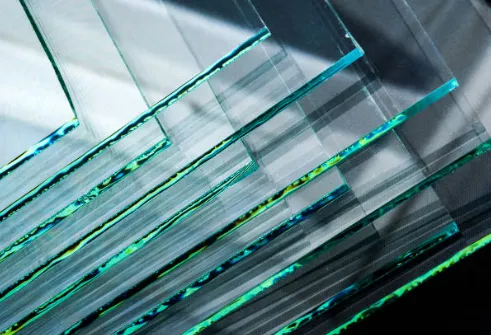
- Tip: Lasers are great for printing on foil seals, PET, and glass in drinks.
Laser printers are good for batch coding. They make codes that stay clear and last long. These printers can work fast and do big jobs. Many people use them for marking glass, plastic, or foil without touching the surface. This is helpful in busy places like drink factories. Some people pick inkjet printers because they cost less at first. Small businesses may choose inkjet if they do not print much.